Your Phone Gets Stolen: 10 Things You Should Have Set Up BEFORE It Happens
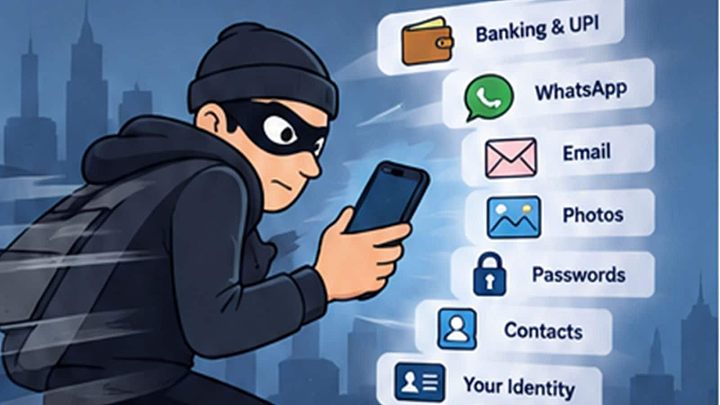
Years ago, losing your mobile mostly meant losing the phone itself. Today that little rectangle may contain your wallet, UPI, banking access, email, photographs, passwords, contacts, authenticator codes and quite possibl
লেখক Anjan N Ghosh··40K বার পড়া
Your Phone Gets Stolen: 10 Things You Should Have Set Up BEFORE It Happens
Years ago, losing your mobile mostly meant losing the phone itself. Today that little rectangle may contain your wallet, UPI, banking access, email, photographs, passwords, contacts, authenticator codes and quite possibly the easiest way to prove to half the internet that you are actually you.
So the ₹80,000 phone may not even be the most valuable thing that disappeared.
Most of us think seriously about phone security only after something goes wrong. That’s a bit like shopping for a fire extinguisher while the kitchen is already burning. A few things are much easier to sort out before the phone disappears.
1. Turn on Find My or Find Hub. Now.
This sounds obvious, but actually check it rather than assuming it’s on. On an iPhone, make sure Find My is enabled. On Android, check Find Hub and the settings it needs. Both can help you locate or secure a missing phone and, if necessary, erase it remotely.
The important bit is doing this before the phone gets stolen. Finding out afterwards that a setting wasn’t enabled is not the sort of surprise you need at that moment.
2. Your six-digit PIN deserves more respect
Face ID and fingerprint authentication mean I hardly ever type my passcode, which also makes it easy to forget how important that passcode is. Don’t use 123456, 000000 or your date of birth, and be a little careful about typing it in crowded places. If somebody sees the PIN before taking the phone, the situation gets considerably worse.
If you use an iPhone, Stolen Device Protection is also worth looking at because it adds biometric safeguards around particularly sensitive actions. The idea is to prepare for the unpleasant possibility that someone may have both your phone and your passcode.
3. Stop advertising everything on your lock screen
A phone can be locked and still display far too much. Bank OTPs, card transactions, password-reset codes and private messages don’t need to sit on the lock screen for anyone to read. ‘Your verification code is 847291.’ Wonderful. Would you like me to unlock the door as well?
Have a look at what your phone shows while it’s locked. I wouldn’t hide every notification, but anything that can help someone get into an account deserves a little more privacy.
4. Lock the apps that can really ruin your day
Banking and UPI apps normally have their own authentication, but email may be just as important because that’s where password-reset links for dozens of other accounts arrive. Password managers, authenticator apps and financial apps deserve similar attention. Use app locking or private-space features where your phone supports them.
Face ID on my banking app? Absolutely. Face ID on my food-delivery app? Probably unnecessary. If the thief discovers I ordered butter chicken twice last week, that’s between him and my cardiologist.
5. Protect your phone number too
Your SIM, or its eSIM equivalent, connects your number to OTPs, account recovery and all sorts of services. Know how to contact your operator quickly and how you’d block or replace the SIM if the phone vanished.
A SIM PIN can add another layer of protection if it suits your setup, but understand the PIN/PUK recovery process first. A security feature that locks the thief out is useful. One that locks you out as well is less impressive.
6. Back up the things money can’t replace
The phone can be replaced. Some of what’s inside it can’t. Automatic cloud backup is one of those boring settings that becomes extremely interesting the day a phone disappears. Check that your photographs, contacts and other important information are actually being backed up rather than just assuming they are.
Few technology messages are more depressing than discovering that “Automatic Backup” quietly stopped working eight months ago.
7. Could you recover your accounts without your phone?
Imagine the phone has just been stolen. You borrow somebody else’s device to locate it. Fine. Now enter your Apple or Google password. Anyone?
Password managers are excellent, but your recovery plan shouldn’t depend entirely on information stored inside the device you’re trying to recover. Make sure your primary account recovery options are set up and keep important recovery codes somewhere safe and separate from the phone. A screenshot saved on the same phone rather defeats the exercise.
8. Save your IMEI somewhere else
This one matters particularly in India. Your phone has a unique IMEI number, usually printed on the original box or invoice. Save it somewhere you can reach without the phone.
If the phone is stolen, the Department of Telecommunications’ CEIR service through Sanchar Saathi lets you request blocking of the handset’s IMEI after the required formalities. It’s exactly the sort of government service I’d rather know about before I’m standing there trying to remember what to do next.
9. Don’t forget UPI and banking
For many of us the phone has quietly become the wallet. UPI, banking, cards, investments and digital wallets can all be sitting inside the same device. Know how to reach your banks and block what needs blocking, and have some idea which financial apps are installed on the phone.
And please don’t keep a note called BANK PASSWORDS in the Notes app. I wish that sentence were unnecessary.
10. Practise losing your phone
This may be the most useful five-minute test in the whole article. Pretend your phone disappeared right now. Could you sign into your Apple or Google account from another device? Locate the phone? Contact your operator? Find the IMEI? Get to your bank? Are your photographs backed up?
If several answers are “I’ll figure it out”, figure them out now. Panic has never been particularly good for memory.
My phone has just been stolen. What do I do NOW?
First, try to locate and lock it. Use Find My or Find Hub and mark the device as lost or secure it. If the map shows it somewhere unfamiliar, don’t audition for the next Mission: Impossible movie. Contact the police rather than trying to recover it yourself.
Then deal with the phone number and the money. Contact your telecom operator and, where necessary, your banks or other financial services. File a police complaint and use India’s CEIR/Sanchar Saathi service to request blocking of the handset’s IMEI.
Also be very suspicious of messages claiming somebody has “found your phone” and asking you to sign into a website or share a verification code. The stolen phone is valuable. Access to your accounts may be worth considerably more.
My Take
I used to think smartphone security meant having a PIN and making sure Find My was switched on. That’s no longer enough. The phone has gradually become my camera, wallet, bank, password vault, communication device and personal archive. iOS and Android both give us very good security tools, but many of them are most useful only if we’ve set them up before somebody walks away with the phone.
So spend ten minutes checking Find My or Find Hub, the passcode, lock-screen notifications, backups, account recovery and the IMEI. Then forget about it and enjoy the phone. Security shouldn’t become another hobby.
Hopefully you’ll never need any of it. But if somebody does steal your phone one day, I’d much rather the first reaction be: “Damn. My phone’s gone.” Not: “Damn. My entire digital life was inside it.”