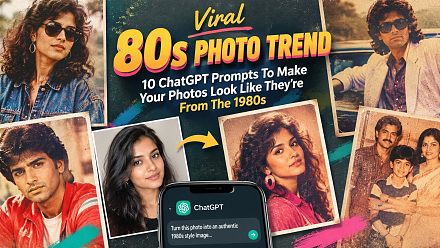
Viral 80s Photos Trend: ChatGPT Prompt To Make Your 1980s Photos Super Realistic
Viral 80s Photos Trend: If you have been seeing those viral AI-generated 1980s photos all over social media, you have probably noticed something: some look surprisingly real, while others look like an obvious AI recreati
লেখক News18 Tech··16K বার পড়া
Viral 80s Photos Trend: ChatGPT Prompt To Make Your 1980s Photos Super Realistic
Viral 80s Photos Trend: If you have been seeing those viral AI-generated 1980s photos all over social media, you have probably noticed something: some look surprisingly real, while others look like an obvious AI recreation.
The difference may not be the photo you upload. It can come down to how you describe the camera, lighting and imperfections of the original photograph.
And the timing is particularly interesting. OpenAI has just launched ChatGPT Images 2.5, a new image-generation model that it says produces more natural lighting and richer textures, while doing a better job of preserving people from reference photos. OpenAI has also highlighted a viral prompt that lets users see what they might have looked like in the 1980s.
So, if your 80s AI photo looks too polished, too sharp or simply “too AI”, there is one simple trick worth trying: stop asking ChatGPT to make it look vintage and instead tell it to recreate the characteristics of an actual photograph taken in the 1980s.
ChatGPT Prompt Trick For More Realistic 80s Photos
Instead of writing something as simple as “make me look like I am in the 1980s”, give ChatGPT a much more specific photography brief.
Try this:
“Transform this photo into a realistic photograph taken in the 1980s. Keep my facial features, identity, natural skin texture and proportions recognisable. Make it look like an authentic amateur photograph taken with an affordable 1980s film camera, not a modern digital recreation. Use period-accurate lighting, slightly imperfect exposure, natural shadows, subtle film grain, realistic colour shifts, mild softness, imperfect focus and the optical characteristics of vintage film. Avoid the overly smooth skin, excessive sharpness, perfect lighting, artificial HDR look and plastic textures commonly seen in AI-generated images. The image should feel like a genuine photograph from a family photo album from the 1980s.”
The important part is not simply the word “1980s”. It is the instruction to reproduce the limitations of the photography technology of that period.
That means asking for things such as mild film grain, imperfect exposure, softer focus and natural lighting rather than simply adding neon colours, retro clothing and an old-looking filter.
Why This Makes AI Photos Look Less Like AI
Modern AI-generated images often have a tell-tale polished appearance. Skin can look unusually smooth, lighting can be too perfect and tiny details can appear unnaturally sharp.
That can actually work against an 80s photograph.
A genuine photograph taken decades ago would normally have been captured on film, with the limitations of the camera, lens, film stock and lighting all affecting the final image. The result might have slight grain, uneven exposure, softer details and subtle colour variation.
So instead of telling ChatGPT to “make this photo vintage”, ask it to recreate the photographic conditions that produced vintage photographs.
OpenAI’s own image-generation guidance recommends being clear and specific about the subject, setting, visual style, lighting and constraints. It also says that when editing an existing image, users should explicitly describe what should change and what should remain unchanged.
That is particularly useful for the 80s trend because you want the clothes, background and photography style to change without losing the person’s identity.
The Biggest Mistake People Make With The 80s Trend
The biggest mistake is asking for too many stereotypical 80s elements at once.
Tell ChatGPT “make this an 80s photo” and it may interpret that as neon colours, exaggerated hairstyles, bright studio lighting and an obviously retro setting.
That can make the result look more like an AI-created poster than an old photograph.
A better approach is to separate the instructions into three parts:
What You Want
What To Tell ChatGPT
Person
Preserve facial identity, proportions and natural features
Photography
1980s film camera, subtle grain, imperfect exposure and mild softness
Environment
Period-accurate clothes, furniture, cars, interiors and backgrounds
Realism
Avoid HDR, plastic skin, excessive sharpness and artificial lighting
This gives the image generator a much clearer idea of what “realistic 80s” actually means.
ChatGPT Images 2.5 Is Arriving At The Perfect Time
The trend is also getting a boost from the timing of OpenAI’s latest image-generation update.
OpenAI announced ChatGPT Images 2.5 on September 8, saying the new model produces sharper details, more natural lighting and richer textures. It also claims that Images 2.5 is better at preserving subjects from reference photographs and maintaining consistency during multiple edits.
OpenAI says Images 2.5 is rolling out to ChatGPT users across desktop, mobile and web, including all tiers.
There is even an “’80s flashback” option visible in the ChatGPT Images experience, showing just how closely the retro-photo trend is tied to the current image-generation push.
OpenAI has also specifically mentioned a viral prompt for seeing what you would have looked like in the ’80s. That makes this more than just another random social-media AI trend: the company itself is now highlighting the format as an example of what its latest image model can do.
Want An Even More Realistic Result? Edit The First Image
You do not necessarily need to get everything right with the first prompt.
In fact, one of the easiest ways to improve the result is to generate the image first and then make a small follow-up request.
For example, if the result looks too artificial, try:
“Make this look less like an AI-generated image and more like a real 1980s family photograph. Keep the person, pose and composition unchanged. Reduce the digital sharpness, remove overly perfect skin, introduce subtle film grain and slight exposure imperfections, and make the lighting look naturally imperfect. Do not add extra retro effects.”
OpenAI says Images 2.5 is designed to handle focused edits more reliably while preserving other parts of an image, and it also supports more consistent changes across multiple turns.
That means you can treat the first generation as a starting point rather than the final result.
The Secret Is Making It Look Imperfect
Ironically, the trick to making an AI-generated 80s photograph look more real is to make it less perfect.
Do not simply ask for “high quality” or “ultra realistic”. Those instructions can push the image towards the glossy, highly polished look that gives AI images away.
Instead, describe the things a real camera from that era would have struggled with: slightly uneven exposure, softer focus, subtle grain, natural shadows and imperfect colour reproduction.
And if you are using your own photograph as the reference, explicitly tell ChatGPT to preserve your identity and facial characteristics while changing the era, clothing, surroundings and photographic style.
That combination is likely to produce a much more convincing result than simply adding “80s aesthetic” to the end of a prompt.
In short: don’t ask ChatGPT to make your photo look like an 80s filter. Ask it to make the photo look as though it was actually taken in the 1980s.