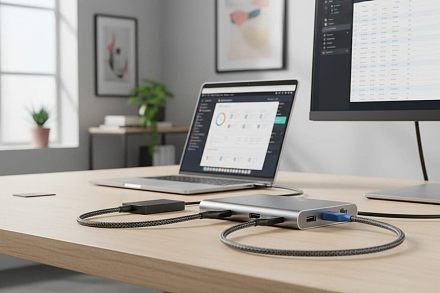
These USB-C Hubs Don't Cost A Lot And Offer Essential Ports For Your Laptop
Modern laptops are getting thinner, but that often means losing useful ports. If your laptop gives you only one or two USB-C connections, even plugging in a mouse, external drive and monitor at the same time can become s
লেখক Consumer Trends Desk··18K বার পড়া
These USB-C Hubs Don't Cost A Lot And Offer Essential Ports For Your Laptop
Modern laptops are getting thinner, but that often means losing useful ports. If your laptop gives you only one or two USB-C connections, even plugging in a mouse, external drive and monitor at the same time can become surprisingly difficult.
A USB-C hub solves that problem, but buying the hub with the largest number of ports is not necessarily the answer. If you mostly use a keyboard, mouse and pen drive, four fast data ports may be more useful than HDMI, Ethernet and card slots you never touch. If you work at a desk with an external monitor, HDMI and Power Delivery charging become much more important.
These options cover those different requirements.
Quick picks
Best overall: Amazon Basics 8-in-1 USB-C Hub
Best for a complete work desk: Portronics Mport 8
Best value: Portronics Mport 52
Best for extra USB ports: Spigen 4-in-1 USB-C Hub
Best for charging while you work: Honeywell 5-in-1 Docking Station
Best simple USB expansion: UGREEN 4-Port USB-C Hub
Quick comparison
Product
Price was
Price now
Discount
Best for
Amazon Basics 8-in-1
Rs 2,999
Rs 949
68%
Complete everyday connectivity
Portronics Mport 8
Rs 2,999
Rs 1,005
66%
Desk setups with Ethernet
Spigen 4-in-1
Rs 1,399
Rs 999
29%
Adding fast USB ports
Honeywell 5-in-1
Rs 4,599
Rs 1,299
72%
Monitor plus laptop charging
UGREEN 4-Port
Rs 2,698
Rs 1,181
56%
USB accessories
Portronics Mport 52
Rs 2,999
Rs 699
77%
Maximum value
1. Amazon Basics 8-in-1 USB-C Hub
Price: Was – Rs 2,999 | Now – Rs 949 | Discount: 68%
Why it makes sense
If you are not quite sure which ports you will need over the next couple of years, this is the safest all-round choice. You get HDMI for a monitor, Ethernet for wired internet, USB 3.0, SD and TF/microSD card readers and Power Delivery support in one hub. The HDMI output supports up to 4K at 30Hz.
In practical terms, that means you could arrive at your desk, connect the hub to your laptop and attach a monitor, wired network, external drive and memory card without reaching for separate adapters. The card readers are particularly useful if you regularly transfer photographs or video.
There is one compromise worth knowing about: Ethernet is limited to 100Mbps. That’s perfectly usable for routine office work and video calls, but buyers with a very fast fibre connection who specifically want Gigabit Ethernet should look elsewhere.
Pros
Eight connections cover most everyday needs
HDMI output for monitors and TVs
Ethernet port
SD and microSD/TF card readers
Power Delivery support
Particularly strong value at the current price
Cons
Ethernet is limited to 100Mbps
4K HDMI tops out at 30Hz
More ports than you need if you only connect a mouse and pen drive
Best for: Buy this if you want one inexpensive adapter to live on your desk and handle almost everything you normally connect to a laptop.
2. Portronics Mport 8 USB-C Hub
Price: Was – Rs 2,999 | Now – Rs 1,005 | Discount: 66%
Why it makes sense
Think of the Mport 8 as a small docking station rather than just a USB splitter. Its eight connections include HDMI, 100Mbps Ethernet, USB 3.0 and USB 2.0, SD and microSD readers, USB-C data and Power Delivery. HDMI can output up to 4K at 30Hz.
That combination makes sense if your laptop spends most of the working day on a desk. You can leave your monitor, Ethernet cable and peripherals attached to the hub and have fewer cables to deal with every time you sit down to work.
Again, 100Mbps Ethernet is the limitation. If you transfer large files over a Gigabit local network, it could become a bottleneck. For normal browsing, documents, meetings and streaming, it is much less likely to matter.
Pros
Eight useful connections
HDMI for an external display
Wired Ethernet
Both SD and microSD slots
USB-C charging and data connections
Useful mix for work-from-home setups
Cons
Ethernet limited to 100Mbps
4K display output limited to 30Hz
Unnecessary if you only need extra USB ports
Best for: A laptop that effectively becomes your desktop computer when you get home or reach the office.
3. Portronics Mport 52 7-in-1 USB-C Hub
Price: Was – Rs 2,999 | Now – Rs 699 | Discount: 77%
Why it makes sense
At Rs 699 in the listing checked, this is the value pick. Instead of buying separate adapters for a monitor, memory cards and USB devices, the Mport 52 puts seven connections into one hub.
You get HDMI, USB-A connections, a USB-C data port, SD and microSD readers and Power Delivery charging. Portronics specifies 60W Power Delivery and data transfer of up to 10Gbps, while HDMI handles 4K output.
That makes it particularly attractive for students, photographers and hybrid workers. You can connect a display at your desk, transfer photos from a camera’s SD card and still have conventional USB connections available.
What you don’t get is Ethernet. If a wired network connection is important to you, spend a little more on the Mport 8 or Amazon Basics model instead.
Pros
Excellent feature set for the price
SD and microSD readers
HDMI output
Up to 60W Power Delivery
Up to 10Gbps data transfer
USB-A and USB-C connectivity
Cons
No Ethernet
Don’t buy it if wired networking is essential
Check that your laptop’s USB-C port supports the functions you intend to use
Best for: Buy this if you want a versatile hub for under Rs 1,000 and don’t need Ethernet.
4. Spigen 4-in-1 USB-C Hub
Price: Was – Rs 1,399 | Now – Rs 999 | Discount: 29%
Why it makes sense
Not everyone needs a miniature docking station. If your actual problem is that your laptop has USB-C but you still use external SSDs, pen drives, a wired keyboard and other USB accessories, the Spigen is a much cleaner solution.
It provides two USB-A and two USB-C connections, with data transfer up to 5Gbps through USB 3.2 Gen 1. It is also extremely light, with the listed product weighing just 34g.
The important part is what it doesn’t have: no HDMI, Ethernet or card reader. That’s not necessarily a weakness. If you never connect an external display or memory card, paying for those ports serves little purpose.
Pros
Two USB-A and two USB-C ports
Up to 5Gbps data transfer
Very lightweight
Easy to keep in a laptop bag
Good for drives and everyday peripherals
Cons
No HDMI
No Ethernet
No SD card reader
Not the right hub for creating a full desktop setup
Best for: If you frequently think, “I just need more USB ports,” this is probably a better fit than an elaborate 8-in-1 hub.
5. Honeywell 5-in-1 Type-C Docking Station
Price: Was – Rs 4,599 | Now – Rs 1,299 | Discount: 72%
Why it makes sense
This is a more focused work hub. You get 4K HDMI, one USB 3.0 connection, two USB 2.0 ports and USB-C Power Delivery rated up to 100W.
That combination is useful if your normal desk routine involves connecting a laptop to a monitor, plugging in a keyboard and mouse and keeping the laptop powered through the same hub. The slower USB 2.0 connections are fine for a keyboard or mouse, while the USB 3.0 port is the better place for an external drive.
What you don’t get are SD card slots or Ethernet. So this is better for conventional office work than photography or a wired-network desk.
Pros
4K HDMI
Up to 100W Power Delivery support
USB 3.0 for faster peripherals
Two additional USB 2.0 ports
Compact five-port arrangement
Cons
No Ethernet
No card reader
Only one USB 3.0 port
Best for: A simple monitor-keyboard-mouse setup where charging the laptop through the hub is important.
6. UGREEN 4-Port USB-C Hub
Price: Was – Rs 2,698 | Now – Rs 1,181 | Discount: 56%
Why it makes sense
This is another product where simplicity is the attraction. It gives you four USB-A ports from a single USB-C connection, including USB 3.0 data connectivity.
That makes it useful if you have bought a newer laptop with USB-C ports but your desk is still full of perfectly good USB-A accessories. Instead of replacing your mouse, keyboard, pen drives and cables, connect them through the hub.
But don’t mistake this for a docking station. If you want to attach a monitor, SD card or Ethernet cable, you need a different product.
Pros
Four USB-A connections
Useful for older accessories
Simple plug-and-use approach
Good option for a permanent desk setup
Avoids paying for ports you may never use
Cons
No HDMI
No Ethernet
No memory-card reader
Much less versatile than similarly priced multiport hubs
Best for: Choose this if your laptop has too few conventional USB ports and that’s the only problem you are trying to solve.
How we chose
We looked at the ports people actually need during a working day rather than simply ranking hubs by how many sockets they have. HDMI, USB data speeds, Power Delivery, Ethernet, card readers, portability and price were considered, with different picks for desk workers, travellers and users who simply need more USB connections.
Things to consider before buying a USB-C hub
Start with what is missing from your laptop: If you only need to connect a mouse and external drive, a four-port USB hub is enough. If you use a monitor, Ethernet and SD cards, an 8-in-1 hub makes much more sense.
Check whether your USB-C port supports video: A laptop having USB-C does not automatically mean that every USB-C port can send video to an HDMI display. Check your laptop specifications before buying primarily for HDMI.
Think about charging: Power Delivery passthrough is useful if your laptop normally charges through USB-C. It can allow power to reach the laptop while the same USB-C connection handles other accessories. Check the laptop, charger and hub specifications because the headline wattage of the hub does not guarantee that your laptop will receive that full amount.
Don’t ignore data speed: USB 2.0 is perfectly adequate for a keyboard or mouse but can feel painfully slow when moving large files. If you regularly use an external SSD, put more emphasis on USB 3.x speeds.
Check the Ethernet speed: A 100Mbps Ethernet port is adequate for many everyday tasks but can bottleneck a faster broadband or local network connection. If wired speed is important, look specifically for Gigabit Ethernet.
FAQs
1. Is a 4-in-1 or 8-in-1 USB-C hub better?
Neither is automatically better. An 8-in-1 hub makes sense if you genuinely use HDMI, Ethernet, card readers and USB devices. If you only need additional USB connections, a simpler four-port hub is cheaper, smaller and easier to carry.
2. Can I connect a monitor through a USB-C hub?
Yes, provided the hub has HDMI or another display output and your laptop’s USB-C connection supports video output. This is worth checking before you buy.
3. Can a USB-C hub charge my laptop at the same time?
A hub with Power Delivery passthrough can support this arrangement, but the laptop, charger, cable and hub all need to support the appropriate charging standard and wattage. A hub advertised as supporting 100W PD does not necessarily mean your laptop will receive the full 100W.
4. Do I need Ethernet on a USB-C hub?
Not if you normally use Wi-Fi. Ethernet becomes useful if you work somewhere with unreliable wireless connectivity, frequently transfer files over a wired network or simply prefer a stable wired connection at your desk.
5. Which USB-C hub is best for everyday office work?
The Amazon Basics 8-in-1 is the most rounded choice here because it combines HDMI, Ethernet, USB, memory-card readers and Power Delivery at under Rs 1,000 in the listing checked. If you don’t need all those connections, the Spigen is a cleaner choice for straightforward USB expansion.
Disclaimer: The product descriptions mentioned in the article are solely based on the primary and secondary research conducted by our experts. To keep you ahead of the curve with these latest products, News18 utilises affiliate links. This means if you decide to shop through our recommendations, we may earn a small referral commission at no extra cost to you. Please be advised that News18 is not responsible for any claims under the Consumer Protection Act, 2019, or other applicable laws regarding the final performance, quality, or safety of these products.