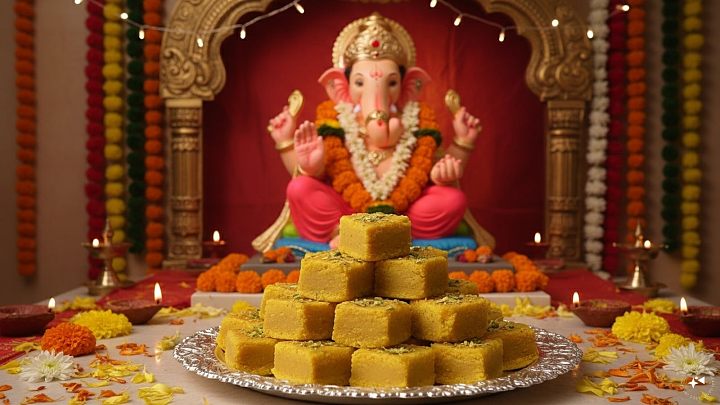
Ganesh Chaturthi 2026: How To Download And Send Ganpati WhatsApp Stickers
Ganesh Chaturthi 2026: Ganpati Bappa has arrived, and WhatsApp is likely to be one of the easiest ways for people to share festive greetings with friends and family. Instead of sending the same text message or image to e
লেখক Ayush Mukherjee··20K বার পড়া
Ganesh Chaturthi 2026: How To Download And Send Ganpati WhatsApp Stickers
Ganesh Chaturthi 2026: Ganpati Bappa has arrived, and WhatsApp is likely to be one of the easiest ways for people to share festive greetings with friends and family. Instead of sending the same text message or image to everyone, you can use Ganesh-themed WhatsApp stickers to add a more festive touch to your chats.
Ganesh Chaturthi is being celebrated on Monday, September 14, 2026, with the 10-day festival set to continue until Anant Chaturdashi on September 25.
If you want to wish someone “Ganpati Bappa Morya” or simply send a festive Ganesh sticker, WhatsApp has built-in options for finding and downloading sticker packs. You can also create your own custom sticker directly inside WhatsApp if the feature is available on your phone.
How To Download Ganesh Chaturthi WhatsApp Stickers
WhatsApp has a sticker section where users can discover and download available sticker packs. The exact options can vary depending on the version of WhatsApp and the sticker packs available in your region.
To look for Ganesh Chaturthi or Ganpati stickers, follow these steps:
Open WhatsApp on your Android phone or iPhone.
Open any individual or group chat.
Tap the emoji icon and then select the sticker section.
Look for the option to add or discover sticker packs.
Browse the available packs and look for Ganesh, Ganpati or festival-themed stickers.
Tap the download button next to a sticker pack you want to add.
Once downloaded, the stickers should appear in your sticker tray and can be used in chats.
WhatsApp’s Help Centre confirms that users can discover sticker packs from the sticker section and tap the download option to add a pack. Once a sticker is available, tapping it sends it directly into the chat.
How To Send Ganesh Stickers On WhatsApp
Once you have downloaded a Ganesh Chaturthi sticker pack, sending a sticker is straightforward.
Open the WhatsApp chat where you want to send the Ganpati sticker.
Tap the emoji icon.
Tap the sticker icon.
Select the Ganesh Chaturthi sticker you want to send.
Tap the sticker.
WhatsApp says that stickers can be used in both individual and group chats. You can also search for specific stickers using the sticker search option.
This means you can send a different Ganpati sticker to individual contacts, family groups or friends’ groups without having to type out a separate greeting each time.
Can’t Find Ganesh Chaturthi Stickers? Try This
If a dedicated Ganesh Chaturthi sticker pack does not appear in your WhatsApp sticker section, you can still make your own festive sticker.
WhatsApp allows users on the latest versions of its Android and iOS apps to create custom stickers from photos. The feature lets you select an image from your phone and turn it into a sticker, with options to add text, emojis or drawings before sending it.
For example, you could use a photo of a Ganesh idol, a festive decoration or a suitable Ganpati image from your gallery and turn it into a custom sticker.
How To Create A Ganpati Sticker Directly In WhatsApp
Open a WhatsApp chat.
Tap the sticker icon.
Select the option to Create a sticker.
Choose a photo from your phone’s gallery.
Use WhatsApp’s editing options to add text, emojis or drawings if required.
Tap the send button to share the sticker.
WhatsApp also supports AI-generated stickers in some countries and on supported accounts. Users can open the sticker creator, choose the AI option and enter a description for the sticker they want to generate. WhatsApp can generate up to four stickers from a description, although availability and supported languages can vary.
Try Creating Your Own Ganesh Chaturthi AI Sticker
If the AI sticker option is available on your WhatsApp account, you could try simple descriptions such as “Lord Ganesha with flowers and diyas, festive Indian celebration” or “Happy Ganesh Chaturthi greeting with Lord Ganesha, modaks and traditional decorations”.
Keep in mind that AI sticker availability is limited and may differ between users. WhatsApp also says that AI sticker descriptions are currently supported only in selected languages.
Keep WhatsApp Updated Before Downloading Stickers
If you cannot see the latest sticker or custom-sticker options, check whether WhatsApp needs an update through your phone’s app store. WhatsApp says its custom sticker features are available on the latest Android and iOS versions, and recommends updating the app if the feature is not visible.
So, whether you want to send a simple “Ganpati Bappa Morya” sticker or create a personalised Ganesh Chaturthi greeting, WhatsApp gives you several ways to add some festive colour to your conversations this Ganesh Chaturthi.