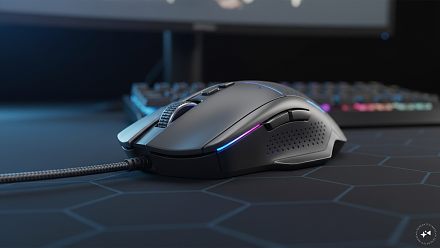
Gaming Mice That Are Ideal For Casual And Competitive Gaming
A gaming mouse does not need to cost several thousand rupees to make a noticeable difference over a basic office mouse. Even below Rs 1,500, you can get adjustable sensitivity, extra buttons, RGB lighting and designs int
লেখক Consumer Trends Desk··20K বার পড়া
Gaming Mice That Are Ideal For Casual And Competitive Gaming
A gaming mouse does not need to cost several thousand rupees to make a noticeable difference over a basic office mouse. Even below Rs 1,500, you can get adjustable sensitivity, extra buttons, RGB lighting and designs intended to offer better control during long gaming sessions.
The trick is not to get carried away by the biggest DPI number. DPI determines cursor sensitivity, but sensor consistency, shape, weight, button placement and polling rate can matter just as much, particularly in fast games. Around 1,000Hz polling is widely considered a solid target for competitive gaming, while extremely high DPI settings are rarely necessary in actual play.
Quick picks
Best overall: Logitech G102 Light Sync
Best for competitive gaming on a budget: Ant Esports GM320
Best for lots of programmable controls: Redragon M612 Predator
Best budget option: ZEBRONICS Transformer-M
Best high-DPI budget option: EvoFox Spectre
Best for casual gaming: HP M270
Best wireless option: Portronics Toad One
Quick comparison
Product
Price was
Price now
Discount
Best for
HP M270
Rs 999
Rs 607
39%
Casual gaming
EvoFox Spectre
Rs 799
Rs 379
53%
High DPI at a low price
Logitech G102 Light Sync
Rs 2,295
Rs 1,195
48%
All-round gaming
Redragon M612 Predator
Rs 1,390
Rs 1,189
14%
Customisation
ZEBRONICS Transformer-M
Rs 699
Rs 345
51%
Entry-level gaming
Portronics Toad One
Rs 1,499
Rs 599
60%
Wireless versatility
Ant Esports GM320
Rs 2,799
Rs 549
80%
Competitive features on a budget
1. HP M270 – Best for casual gaming
Reasons to Buy
Six-button design
Four selectable speed settings
Ergonomic shape
Reasons to Avoid
Lower maximum DPI than most others here
Price: Was – Rs 999 | Now – Rs 607 | Discount: 39%
Why it makes sense
The HP M270 keeps things fairly simple. It is a wired gaming mouse with six buttons, four selectable speed settings and sensitivity up to 2,400 DPI. That is more than enough range for casual games, everyday PC use and players who are just getting started with gaming peripherals.
Its ergonomic body, metal scroll wheel and breathing LED lighting give it more of a gaming feel than a regular office mouse without pushing the price much beyond Rs 600. HP also lists a three-year warranty in the product title.
Best for: Casual gamers looking for a straightforward branded wired mouse.
2. EvoFox Spectre – Best high-DPI budget option
Reasons to Buy
Up to 7,200 DPI
Six buttons
Seven-colour lighting
Braided 1.5-metre cable
Reasons to Avoid
High maximum DPI alone does not guarantee better tracking
Price: Was – Rs 799 | Now – Rs 379 | Discount: 53%
Why it makes sense
At under Rs 400, the EvoFox Spectre offers a surprising specification list. Its gaming sensor supports up to 7,200 DPI, while the six-button layout provides additional controls without making the mouse overly complicated.
The listing also mentions seven-colour rainbow lighting, a 1.5-metre braided cable and switches rated for up to seven million clicks. It is a sensible step up if you want more sensitivity options than a basic budget mouse provides.
Best for: Budget buyers who want plenty of adjustable sensitivity without spending much.
3. Logitech G102 Light Sync – Best overall
Reasons to Buy
Gaming-grade sensor
Up to 8,000 DPI
Customisable RGB
Suitable for faster competitive games
Reasons to Avoid
Shape may not suit every hand or grip
Price: Was – Rs 2,295 | Now – Rs 1,195 | Discount: 48%
Why it makes sense
The Logitech G102 is the most rounded option in this group if gaming performance matters more than simply getting the cheapest mouse. It offers an 8,000 DPI gaming-grade sensor, six programmable buttons and customisable RGB lighting with 16.8 million colour options.
The programmable controls are useful if you play different types of games and want to assign commands or macros through Logitech’s software. Its relatively simple shape also makes it suitable for gaming as well as everyday PC use. Independent gaming-mouse guides continue to identify the G102 as a strong budget option, with its sensor, 1,000Hz polling and relatively light 85g design among its strengths.
Best for: Players wanting a more performance-focused mouse for both casual and competitive games.
4. Redragon M612 Predator – Best for programmable controls
Reasons to Buy
Programmable controls
RGB lighting
Ergonomic grip
Reasons to Avoid
Larger design may not suit smaller hands
Price: Was – Rs 1,390 | Now – Rs 1,189 | Discount: 14%
Why it makes sense
The Redragon M612 Predator is designed for players who want more control over what their mouse buttons do. Its programmable functions and keybinding macro support can be particularly useful in games where you repeatedly use multiple commands.
The mouse also features RGB backlighting and an ergonomic grip design. This makes it better suited to players who prefer a fuller mouse rather than the simple symmetrical design of the Logitech G102.
Best for: RPG, MOBA and other players who value additional controls and customisation.
5. ZEBRONICS Transformer-M – Best budget option
Reasons to Buy
Six buttons
Up to 3,600 DPI
Multi-colour LED lighting
Reasons to Avoid
Basic feature set
Price: Was – Rs 699 | Now – Rs 345 | Discount: 51%
Why it makes sense
If your budget is extremely tight, the ZEBRONICS Transformer-M provides the basic gaming-mouse features for about Rs 350. It has six buttons, a high-resolution optical sensor supporting up to 3,600 DPI and a dedicated DPI switch.
Multi-colour LED lighting gives it the expected gaming look, while the wired USB connection keeps things simple. It will not offer the same degree of customisation as more expensive models, but it is a considerable feature set at this price.
Best for: First-time gamers and buyers who want a gaming-style mouse at the lowest possible cost.
6. Portronics Toad One – Best wireless option
Reasons to Buy
Bluetooth 5.3 and 2.4GHz wireless
Connects with up to three devices
Rechargeable
RGB lighting
Reasons to Avoid
Serious competitive players may prefer a performance-focused wired model
Price: Was – Rs 1,499 | Now – Rs 599 | Discount: 60%
Why it makes sense
The Portronics Toad One is different from the rest because it focuses on wireless flexibility rather than outright gaming specifications. It supports both 2.4GHz wireless and Bluetooth 5.3, and can connect with up to three devices.
It also has six buttons, RGB lighting and a rechargeable battery. That makes it particularly convenient if the same mouse will be used with a gaming laptop during one part of the day and a tablet or another computer later.
Best for: Casual gamers who also want one wireless mouse for multiple devices.
7. Ant Esports GM320 – Best for competitive features on a budget
Reasons to Buy
Up to 12,800 DPI
Eight programmable buttons
RGB lighting
Reasons to Avoid
Maximum DPI is more than most players need
Price: Was – Rs 2,799 | Now – Rs 549 | Discount: 80%
Why it makes sense
The Ant Esports GM320 packs some of the biggest headline specifications in this list. Its optical sensor goes up to 12,800 DPI and there are eight programmable buttons, including a rapid-fire control.
Those extra controls can be useful across different game genres, while the braided cable and ergonomic design are aimed at longer gaming sessions. The maximum DPI is far higher than most players will actually need, but having adjustable sensitivity gives you room to find a setting that suits your playing style. Competitive FPS players commonly use far lower effective sensitivities than the maximum DPI advertised on gaming mice.
Best for: Budget competitive gamers who want programmable controls and plenty of sensitivity adjustment.
How we chose
We compared sensor specifications, adjustable DPI, programmable buttons, connectivity, ergonomics, gaming-focused features and price. We also gave greater weight to practical control and customisation rather than simply picking whichever mouse advertised the highest DPI.
Things to consider before buying
Sensor matters more than maximum DPI: A 12,800 DPI mouse is not automatically more accurate than an 8,000 DPI mouse. Consistent tracking at the sensitivity you actually use matters more.
Check the polling rate: For fast competitive games, 1,000Hz is a useful benchmark because it means the mouse reports its position every 1ms. Going much higher offers relatively small gains for most players and systems.
Think about your grip: Palm, claw and fingertip grips work better with different shapes and sizes. Comfort becomes particularly important during long sessions.
Don’t ignore weight: Lighter mice can make rapid movements and flicks easier, particularly in FPS games, while some players prefer a heavier mouse for a more planted feel.
Decide whether you need wireless: Wireless is convenient, but at this budget the strongest performance-oriented options are often wired. If gaming is only one of several uses, multi-device wireless connectivity may be more useful.
FAQs
1. How much DPI do you need for gaming?
You do not need extremely high DPI simply because a mouse supports it. Many competitive FPS players use relatively modest DPI settings combined with lower in-game sensitivity.
2. Is 12,800 DPI better than 8,000 DPI?
Not necessarily. Maximum DPI tells you the upper sensitivity limit, not the overall quality of the sensor. Tracking consistency, latency and the sensitivity you actually play at are more relevant.
3. Is a wired mouse better for competitive gaming?
At the sub-Rs 1,500 level, a wired mouse can be an attractive choice because you avoid charging and can get more gaming-focused hardware for the money. High-quality modern wireless gaming technology can also deliver excellent latency, but it generally costs more.
4. How many buttons should a gaming mouse have?
Six is sufficient for most players. Extra programmable buttons become more useful in RPGs, MOBAs and games where you want frequently used commands accessible without reaching for the keyboard.
5. Does RGB lighting improve gaming performance?
No. RGB is purely a visual feature. Sensor consistency, shape, weight, button response and polling rate have a much greater impact on actual gaming.
6. Which features matter most for competitive FPS games?
Look for a reliable optical sensor, comfortable shape, manageable weight, consistent tracking and a good polling rate. A 1,000Hz polling rate remains a sensible baseline for competitive gaming rather than chasing extreme DPI figures.
Disclaimer: The product descriptions mentioned in the article are solely based on the primary and secondary research conducted by our experts. To keep you ahead of the curve with these latest products, News18 utilises affiliate links. This means if you decide to shop through our recommendations, we may earn a small referral commission at no extra cost to you. Please be advised that News18 is not responsible for any claims under the Consumer Protection Act, 2019, or other applicable laws regarding the final performance, quality, or safety of these products.