Short On Ports With Your Laptop? These USB-C Hubs Are A Must-Have
Modern laptops are getting thinner, but that often comes at the cost of ports. A USB-C hub can solve this problem by adding multiple connections through a single USB-C port, making it easier to connect displays, storage
लेखक Consumer Trends Desk··29K पढ़े गए
Short On Ports With Your Laptop? These USB-C Hubs Are A Must-Have
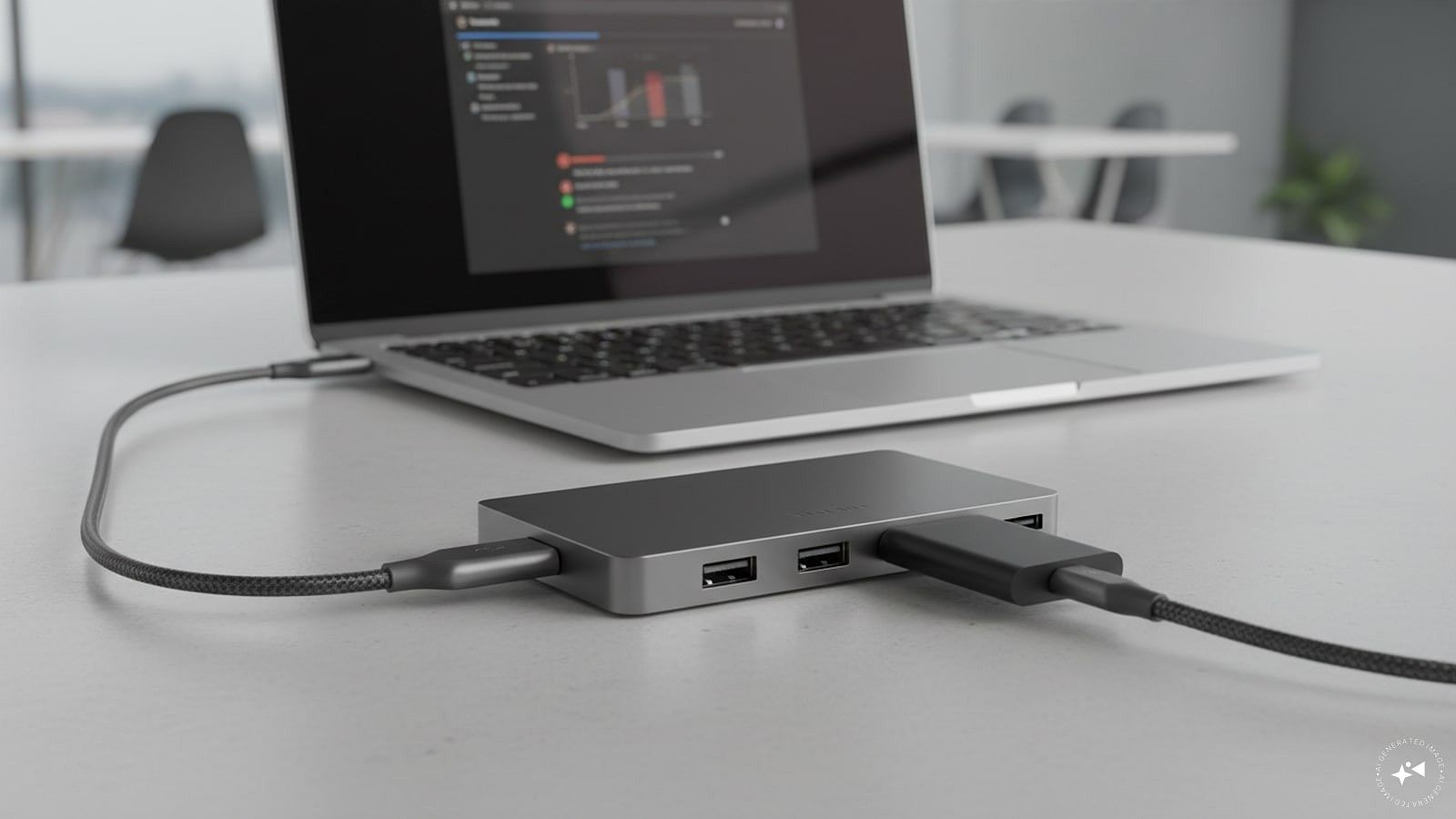
Modern laptops are getting thinner, but that often comes at the cost of ports. A USB-C hub can solve this problem by adding multiple connections through a single USB-C port, making it easier to connect displays, storage devices, memory cards, wired networks and other peripherals.
The options below cover different requirements, from compact 4-in-1 hubs to versatile 8-in-1 docking stations. If you are looking for a USB-C hub under Rs 3,000, these are five options worth considering.
Quick picks
Best overall: Portronics Mport 8 USB-C 8-in-1 Hub
Best for high-speed data: UGREEN Revodok Pro 6-in-1 USB-C Hub
Best for warranty: Honeywell 7-in-1 Type-C Docking Station
Best for connectivity: Black-R 7-in-1 USB-C Hub
Best compact option: Spigen 4-in-1 USB-C Hub
Quick comparison
Product
Price was
Price now
Discount
Best for
Portronics Mport 8 USB-C 8-in-1 Hub
Rs 2,999
Rs 1,005
66%
Overall performance
UGREEN Revodok Pro 6-in-1 USB-C Hub
Rs 5,398
Rs 2,695
50%
High-speed data
Honeywell 7-in-1 Type-C Docking Station
Rs 7,999
Rs 1,899
76%
Warranty
Black-R 7-in-1 USB-C Hub
Rs 2,899
Rs 1,989
31%
Connectivity
Spigen 4-in-1 USB-C Hub
Rs 1,399
Rs 999
29%
Compact setups
1. Portronics Mport 8 USB-C 8-in-1 Hub: Best overall
Price: Was – Rs 2,999 | Now – Rs 1,005 | Discount: 66%
Why it makes sense
The Portronics Mport 8 is a versatile option for users who need several types of connectivity from a single USB-C port. It combines 4K HDMI output at 30Hz with Ethernet, USB ports, SD and microSD card readers, Type-C data connectivity and PD charging.
Its eight-port configuration makes it particularly useful for laptops with limited built-in connectivity. At the current listed price, it also offers a broad range of ports without approaching the Rs 3,000 budget limit.
Pros
• 8-in-1 connectivity
• 4K HDMI output at 30Hz
• 100Mbps Ethernet
• SD and microSD card readers
• PD charging support
Cons
• HDMI output is limited to 30Hz
• Ethernet is limited to 100Mbps
Best for
Laptop users looking for an affordable all-round USB-C hub with multiple connectivity options.
2. UGREEN Revodok Pro 6-in-1 USB-C Hub: Best for high-speed data
Price: Was – Rs 5,398 | Now – Rs 2,695 | Discount: 50%
Why it makes sense
The UGREEN Revodok Pro is aimed at users who prioritise faster data transfers and higher-resolution external display support. The 6-in-1 hub features 10Gbps data connectivity, 4K@60Hz display support and up to 100W power delivery.
It includes both USB Type-A and Type-C 3.2 data ports, making it suitable for connecting modern peripherals and high-speed storage devices.
Pros
• 10Gbps data transfer
• 4K@60Hz display support
• Up to 100W power delivery
• USB Type-A and Type-C 3.2 ports
• Broad device compatibility
Cons
• Fewer ports than some 7-in-1 and 8-in-1 alternatives
• Higher price than the other budget-oriented options
Best for
Users who regularly transfer large files or connect a high-resolution external display.
3. Honeywell 7-in-1 Type-C Docking Station: Best for warranty
Price: Was – Rs 7,999 | Now – Rs 1,899 | Discount: 76%
Why it makes sense
The Honeywell 7-in-1 Type-C Docking Station combines display, data, storage and charging connectivity in a single hub. It includes 4K HDMI, USB 3.0, two USB 2.0 ports, a Type-C PD charging port and SD and microSD card slots.
A three-year warranty also makes this option worth considering for buyers who place greater importance on after-sales coverage.
Pros
• 7-in-1 connectivity
• 4K HDMI support
• 100W PD charging
• SD and microSD card slots
• Three-year warranty
Cons
• Two USB ports use the slower USB 2.0 standard
• Larger feature set may be unnecessary for basic users
Best for
Users looking for a versatile USB-C docking station backed by a longer warranty.
4. Black-R 7-in-1 USB-C Hub: Best for connectivity
The Black-R 7-in-1 USB-C hub offers a useful combination of display, networking, charging and storage connectivity. It includes 4K HDMI, 1Gbps RJ45 Ethernet, 100W PD support, two USB-A 5Gbps ports and TF/SD card readers.
The 1Gbps Ethernet connection gives it an advantage over hubs limited to 100Mbps wired networking, particularly for users who transfer files over a local network or rely on a wired internet connection.
Pros
• 1Gbps Ethernet
• 100W PD support
• Two USB-A 5Gbps ports
• SD and TF card readers
• 4K HDMI support
Cons
• Less affordable than the Portronics option
• Only seven ports
Best for
Users who need fast wired networking alongside USB, display and card-reader connectivity.
5. Spigen 4-in-1 USB-C Hub: Best compact option
Price: Was – Rs 1,399 | Now – Rs 999 | Discount: 29%
Why it makes sense
The Spigen 4-in-1 USB-C Hub takes a simpler approach than the other options on this list. It provides two USB-A 5Gbps ports and two USB-C 5Gbps ports, making it suitable for users who primarily need additional USB connectivity.
Its compact configuration is useful for laptop users who do not need HDMI, Ethernet or card readers but want to connect multiple USB peripherals through one USB-C port.
Pros
• Two USB-A 5Gbps ports
• Two USB-C 5Gbps ports
• 5Gbps connectivity
• Compact configuration
• Suitable for MacBook and other laptops
Cons
• No HDMI output
• No Ethernet port
• No SD or microSD card reader
Best for
Users who mainly need additional high-speed USB ports in a compact hub.
How we chose
We selected these USB-C hubs based on their port selection, connectivity options, display support, charging capabilities, data-transfer speeds, compatibility and current pricing. We also considered the different use cases for which a hub may be required, including connecting an external monitor, transferring files, using SD or microSD cards, connecting wired Ethernet and charging a laptop simultaneously.
Things to consider before buying a USB-C hub
Before buying a USB-C hub, check the ports you actually need. HDMI, USB-A, USB-C, Ethernet, SD and microSD card slots can make a hub considerably more useful, but paying for ports you rarely use may not be necessary.
Display support is another important factor. Check the maximum resolution and refresh rate supported by the hub, particularly if you plan to connect a 4K monitor. A hub supporting 4K at 60Hz is better suited to smoother desktop and multimedia use than one limited to 30Hz.
Data-transfer speed also matters when using external SSDs, hard drives or other high-speed peripherals. USB 3.0 and 5Gbps ports are adequate for everyday transfers, while 10Gbps connectivity is preferable for users who regularly move large files.
If you want to charge your laptop through the hub, check its Power Delivery rating and make sure it is compatible with your laptop’s charging requirements. Ethernet speed, device compatibility, cable length and build quality are other factors worth considering before making a purchase.
FAQs
1. What is a USB-C hub used for?
A USB-C hub expands the number and types of ports available on a laptop. Depending on the model, it can provide HDMI, USB, Ethernet, SD card, microSD card and USB-C PD connectivity through a single USB-C connection.
2. Can a USB-C hub connect a laptop to a monitor?
Yes. USB-C hubs with HDMI output can connect compatible laptops to external monitors or TVs. The supported resolution and refresh rate depend on the hub and the laptop’s USB-C capabilities.
3. Does a USB-C hub support laptop charging?
Some USB-C hubs support Power Delivery (PD), allowing compatible laptops to receive power through the hub while other peripherals are connected.
4. Is a 10Gbps USB-C hub better than a 5Gbps hub?
A 10Gbps hub can theoretically transfer data at twice the maximum speed of a 5Gbps hub. It is more useful for users who frequently transfer large files or use high-speed external storage.
5. Which USB-C hub is best for a laptop with very few ports?
The Portronics Mport 8 is the most versatile option in this list because it combines eight connectivity options, including HDMI, Ethernet, USB ports, card readers and PD charging.
Disclaimer: The product descriptions mentioned in the article are solely based on the primary and secondary research conducted by our experts. To keep you ahead of the curve with these latest products, News18 utilises affiliate links. This means if you decide to shop through our recommendations, we may earn a small referral commission at no extra cost to you. Please be advised that News18 is not responsible for any claims under the Consumer Protection Act, 2019, or other applicable laws regarding the final performance, quality, or safety of these products.