Ditch The Wireless And Buy These Computer Speakers To Spice Up Your Desk
The speakers built into a laptop or monitor are fine for basic use, but they can sound weak when you are watching a movie, listening to music or playing a game. Voices may not be very clear and music can lack volume, esp
लेखक Consumer Trends Desk··37K पढ़े गए
Ditch The Wireless And Buy These Computer Speakers To Spice Up Your Desk
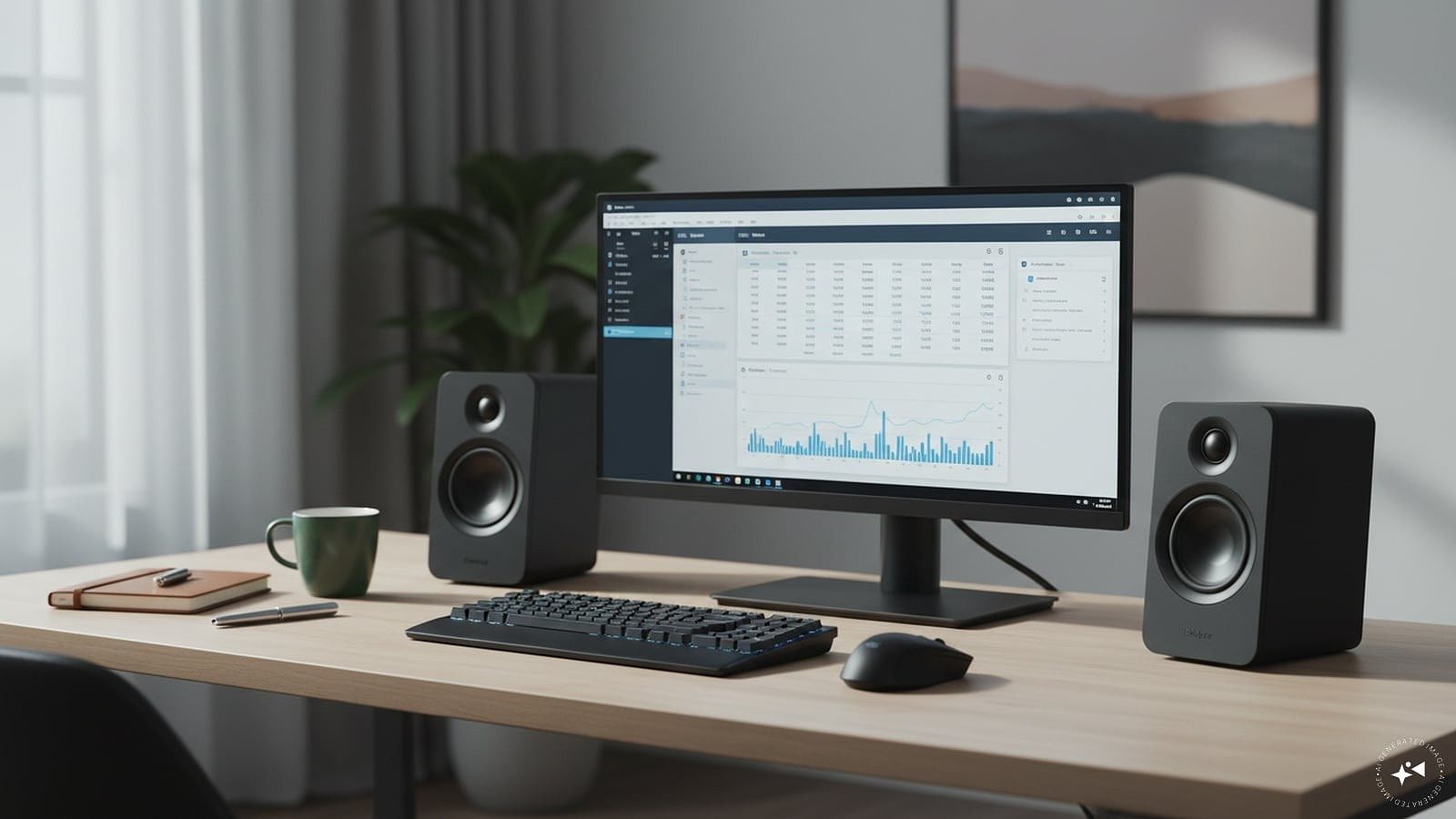
The speakers built into a laptop or monitor are fine for basic use, but they can sound weak when you are watching a movie, listening to music or playing a game. Voices may not be very clear and music can lack volume, especially if you are sitting away from the screen.
A simple pair of external speakers can make a noticeable difference. You do not have to spend several thousand rupees either. The options here start at Rs 599 and include compact soundbars, traditional two-speaker sets and a Bluetooth model that can also be used away from your computer.
The important thing is to choose according to how you will use the speakers. A soundbar saves desk space, separate speakers give you a traditional left-and-right setup, while Bluetooth is useful if you also want to play music from your phone.
Top picks
Best overall: Honeywell Moxie V500
Best budget option: Ant Esports GS195
Best compact option: ZEBRONICS Wonder Bar 10
Best for Bluetooth: ZEBRONICS Astra 35
Best two-speaker option: Amazon Basics 2 x 3W Multimedia PC Gaming Speakers
Quick comparison
Product
Price was
Price now
Discount
Best for
Honeywell Moxie V500
Rs 1,999
Rs 905
55%
Everyday computer use
ZEBRONICS Wonder Bar 10
Rs 1,499
Rs 799
47%
Compact desks
Amazon Basics 2 x 3W Multimedia Speakers
Rs 1,499
Rs 639
57%
Separate stereo setup
ZEBRONICS Astra 35
Rs 1,899
Rs 849
55%
Bluetooth and portability
Ant Esports GS195
Rs 1,099
Rs 599
45%
Lowest price
1. Honeywell Moxie V500
Price: Was – Rs 1,999 | Now – Rs 905 | Discount: 55%
Why you should consider it
The Honeywell Moxie V500 is a good all-round choice if you simply want better sound from your desktop or laptop without taking up much space.
It is a 10W soundbar with two 52mm drivers. Instead of having two speakers sitting on either side of the monitor, the entire speaker can be placed underneath it.
The speaker is USB powered and uses a 3.5mm AUX connection for audio. There is also a volume control on the cable, so you can change the sound without opening the volume settings on your computer.
Honeywell lists a two-year manufacturer warranty, which is another useful addition at this price.
Cons: Wired rather than Bluetooth; you need both USB and AUX connections.
Best for: Home and office users who want a simple speaker that does not occupy much desk space.
2. ZEBRONICS Wonder Bar 10
Price: Was – Rs 1,499 | Now – Rs 799 | Discount: 47%
Why you should consider it
The ZEBRONICS Wonder Bar 10 is another compact soundbar, but it is aimed more at users who like a colourful gaming-style desk.
It offers 10W output and has RGB lighting across the front. It is USB powered, while the 3.5mm AUX connection carries the sound from your computer.
There is a large volume control on the front, along with headphone and microphone ports. This can be convenient if you regularly switch between headphones and speakers.
Its long, narrow design also means you can place it below a monitor rather than finding room for two separate speakers.
Pros: 10W output; RGB lighting; front volume control; headphone and microphone ports; compact design.
Cons: No Bluetooth; RGB lighting may not appeal to someone looking for a plain office speaker.
Best for: Small desks and gaming setups where space is limited.
3. Amazon Basics 2 x 3W Multimedia PC Gaming Speakers
Price: Was – Rs 1,499 | Now – Rs 639 | Discount: 57%
Why you should consider it
If you prefer two separate speakers rather than a soundbar, this Amazon Basics set is one of the more affordable choices here.
You get two 3W speakers, giving you 6W of total stated output. The speakers use USB for power and AUX for audio, and there is a volume control for adjusting the sound.
They also have RGB lights, which give them a more colourful appearance on a gaming or entertainment desk.
The main advantage is the traditional two-speaker arrangement. You can place one speaker on either side of your laptop or monitor rather than having all the sound coming from a single unit underneath the screen.
Cons: 6W total output is lower than several other options here; no Bluetooth.
Best for: Buyers who want an inexpensive pair of separate desktop speakers.
4. ZEBRONICS Astra 35
Price: Was – Rs 1,899 | Now – Rs 849 | Discount: 55%
Why you should consider it
The ZEBRONICS Astra 35 is the most versatile speaker on this list because you are not limited to using it with your computer.
It has a stated 16W output and supports Bluetooth 5.3, AUX, USB and a microSD card. You can therefore use it with a computer and then connect your phone wirelessly when you want to listen to music.
The built-in battery offers up to eight hours of backup according to the listing. It also has RGB lights, dual drivers and dual passive radiators.
This is worth considering if you don’t want to buy one speaker for your computer and another portable Bluetooth speaker.
Pros: 16W output; Bluetooth; built-in battery; AUX and USB; microSD support; RGB lighting.
Cons: If it will remain permanently connected to your desktop, you may not need the extra portable features.
Best for: Anyone who wants one speaker for both computer use and wireless music.
5. Ant Esports GS195
Price: Was – Rs 1,099 | Now – Rs 599 | Discount: 45%
Why you should consider it
At Rs 599, the Ant Esports GS195 is the cheapest option here.
It consists of two small speakers with a stated output of 5W each, giving you 10W in total. They are USB powered and connect through a 3.5mm AUX cable.
There are also RGB lights at the bottom of the speakers. The compact size should make them fairly easy to position on either side of a laptop or monitor.
This is essentially the no-frills choice. If your laptop speakers are not loud enough and you simply want an inexpensive external speaker setup, you may not need to spend much more.
Pros: Lowest price; 10W total stated output; two-speaker design; RGB lighting; USB powered.
Cons: No Bluetooth; basic feature set.
Best for: Buyers looking for the cheapest simple upgrade to their computer’s built-in speakers.
How we chose
We looked at the features that matter for everyday computer use, including price, stated output, connectivity, desk space and ease of use.
We also included different types of speakers rather than choosing five similar products. Some people want a small soundbar below their monitor, while others prefer separate speakers or want Bluetooth so that the speaker can also be used with a phone.
What to check before you buy
First, check the connections on your computer. Several inexpensive speakers use USB only for power and a separate 3.5mm AUX cable for sound. If your laptop does not have a headphone or AUX port, make sure the speaker will work with your available connections.
Think about desk space too. A soundbar can fit neatly below a monitor, while two separate speakers need space on both sides.
Do not choose purely by wattage. A higher wattage can indicate greater potential output, but it does not automatically mean better sound quality.
Finally, decide whether you really need Bluetooth and RGB lighting. If the speakers will stay connected to an office desktop all day, a simple wired model may be enough.
FAQs
1. Which is the best computer speaker under Rs 1,500?
The Honeywell Moxie V500 is a good all-round option for everyday computer use. It has 10W output, a compact soundbar design and a two-year manufacturer warranty.
2. Which is the cheapest speaker here?
The Ant Esports GS195 is the cheapest at Rs 599 at the price shown. It offers two 5W speakers and USB power.
3. Which speaker is best if I also want Bluetooth?
The ZEBRONICS Astra 35 is the clear choice here. It supports Bluetooth 5.3 and has a built-in battery, so you can also use it away from your computer.
4. Is a soundbar better than separate computer speakers?
It depends on your desk. A soundbar takes up less space and fits neatly below a monitor. Separate speakers let you place the left and right speakers on opposite sides of your screen.
Disclaimer: The product descriptions mentioned in the article are solely based on the primary and secondary research conducted by our experts. To keep you ahead of the curve with these latest products, News18 utilises affiliate links. This means if you decide to shop through our recommendations, we may earn a small referral commission at no extra cost to you. Please be advised that News18 is not responsible for any claims under the Consumer Protection Act, 2019, or other applicable laws regarding the final performance, quality, or safety of these products.