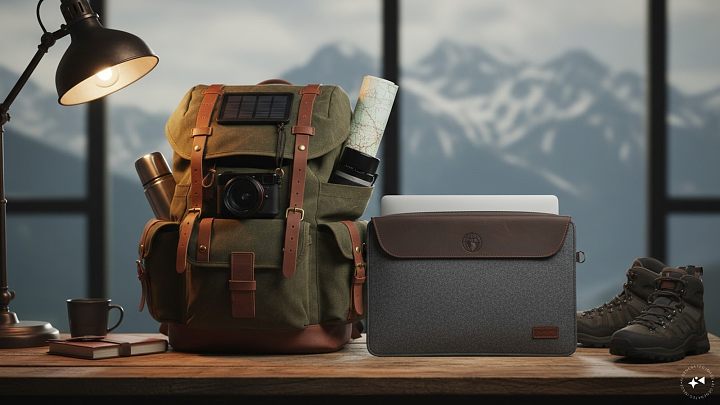
Backpack Vs Sleeve Laptop Bag: Which Is Better For Travel?
Travelling with a laptop creates a fairly simple problem: you need to protect an expensive device without making the journey unnecessarily uncomfortable.
लेखक Consumer Trends Desk··18K पढ़े गए
Backpack Vs Sleeve Laptop Bag: Which Is Better For Travel?
Travelling with a laptop creates a fairly simple problem: you need to protect an expensive device without making the journey unnecessarily uncomfortable.
A backpack and a laptop sleeve solve that problem in very different ways. A backpack gives you space for the laptop, charger, water bottle, documents and other belongings, while keeping your hands free. A sleeve is much smaller and is primarily designed to protect the laptop itself.
Neither is automatically the better choice. Someone commuting by Metro every day may appreciate a backpack, while someone carrying a laptop inside cabin luggage may find a sleeve much more convenient.
Which should you buy?
Buy a backpack if:
You carry your laptop for long periods.
You also need to carry a charger, documents, water bottle or other belongings.
You want your hands free while travelling.
You commute by bus, Metro, train or on foot.
You want one bag to hold most of your everyday items.
Buy a laptop sleeve if:
You mainly want protection for the laptop itself.
You already carry a handbag, backpack or cabin suitcase.
You prefer something light and compact.
You frequently take the laptop in and out of another bag.
You do not need much additional storage.
Top picks
Gear Aspire 30L Laptop Backpack
Safari Hitech 35L Backpack
Safari Omega Pro 35L Laptop Backpack
Dyazo 15.6-inch Laptop Sleeve
Dynotrek 17.3-inch Laptop Sleeve
MOCA 13.3-inch Laptop Sleeve
Quick comparison
Feature
Backpack
Laptop sleeve
Laptop protection
Good
Good for scratches and everyday bumps
Extra storage
Excellent
Limited
Comfortable for long journeys
Better
Depends on how you carry it
Hands-free
Yes
Usually no
Fits inside another bag
Usually no
Yes
Water protection
Depends on model
Depends on model
Charger storage
Easy
Limited on basic sleeves
Best for
Commutes and longer travel
Minimal travel and use inside another bag
What does a laptop backpack offer?
The biggest advantage of a backpack is that it is an all-in-one carrying solution. Instead of protecting only your computer, it can carry most of the things you need during the journey.
That becomes particularly useful during a daily commute or longer trip. A laptop, charger and power bank can become surprisingly heavy after an hour of carrying them. A backpack spreads that weight across both shoulders rather than leaving you holding everything in one hand.
Where backpacks fall behind
Size is the obvious disadvantage. A 30 or 35-litre backpack makes sense when you have plenty to carry, but it can feel excessive if all you need is a laptop and charger.
Backpacks also take up more room. On a crowded Metro or bus, you may have to remove the bag and hold it in front of you. During a flight, a large backpack also becomes another piece of luggage to manage.
There is another important point: a backpack is not necessarily better at protecting the laptop just because it is larger. You still need to check whether it has a properly padded laptop section and whether your particular laptop fits securely.
What does a laptop sleeve offer?
A laptop sleeve takes a much more minimalist approach. Instead of replacing your travel bag, it protects your laptop while taking up very little additional space.
This is particularly convenient when flying. You can put the laptop into a sleeve and then place the entire sleeve inside your cabin bag. When you need the computer, you simply take the sleeve out.
Where laptop sleeves fall behind
Storage is the main limitation. A sleeve may have a pocket for a cable, mouse or small charger, but it cannot replace a proper travel bag if you carry several things.
You also need to think about how you are going to carry it. Holding a sleeve in your hand may be perfectly comfortable when walking from your car to the office. It becomes much less convenient when you are walking through an airport while also handling a suitcase and phone.
A sleeve therefore works best either for short journeys or as additional laptop protection inside another bag.
Backpack vs sleeve: Which is better for daily commuting?
A backpack will usually be the more practical choice.
If you travel to work with a laptop, charger, earphones, notebook, wallet, water bottle and perhaps lunch, putting everything into one backpack is considerably easier than carrying a laptop sleeve separately.
The two shoulder straps also distribute the load more evenly. That becomes increasingly important as the amount you carry increases.
Which is better for flights?
This depends on how you pack.
If the laptop is one of several things you want easily accessible during the journey, a backpack is convenient. You can carry your electronics and travel essentials together and keep them close to you.
A sleeve makes more sense if you already have cabin luggage. It adds a layer of protection around the laptop without forcing you to carry another large bag.
Which is better for protecting your laptop?
There isn’t a universal winner.
A padded sleeve fits closely around the computer and can protect it from scratches and everyday bumps. A good laptop backpack can also provide substantial protection, particularly if it has a padded dedicated compartment.
The bigger question is how the laptop fits. A 13-inch computer moving around inside an oversized compartment may be less secure than the same computer sitting snugly inside a properly sized sleeve.
Which is better if you carry a lot of accessories?
The backpack wins easily.
Chargers, a mouse, power bank, headphones, notebooks and cables all need somewhere to go. Multiple compartments and organiser pockets make a backpack far easier to manage.
A sleeve is deliberately designed to remain compact, so extra storage is usually limited.
Common usage scenarios
Usage
Backpack
Sleeve
Better choice
Daily office commute
Excellent
Good
Backpack
Metro or bus travel
Excellent
Average
Backpack
Carrying charger and accessories
Excellent
Limited
Backpack
Walking long distances
Excellent
Average
Backpack
Inside cabin luggage
Bulky
Excellent
Sleeve
Short car-to-office trip
Good
Excellent
Sleeve
Carrying only a laptop
Good
Excellent
Sleeve
Overnight work trip
Excellent
Limited
Backpack
Protecting laptop inside another bag
Good
Excellent
Sleeve
So, which should you choose?
Choose a backpack if you want one bag to handle the entire journey. It is the more practical option for daily office commutes, public transport and trips where you need to carry accessories or other belongings alongside your computer.
Choose a laptop sleeve if you mainly want a lightweight protective cover for your computer. It is particularly useful when you already have another bag or suitcase and do not want the bulk of a second backpack.
For frequent travellers, however, owning both can make the most sense. Put the laptop in a well-fitting sleeve for additional protection and then place the sleeve inside your backpack or cabin luggage. You get the compact protection of a sleeve together with the carrying convenience and storage of a backpack.
FAQs
1. Is a laptop safer in a backpack or sleeve?
Both can protect a laptop if they are properly padded and correctly sized. A sleeve fits closely around the computer, while a good laptop backpack provides a dedicated compartment and protects it while also carrying other items.
2. Can I put a laptop sleeve inside a backpack?
Yes. In fact, this can be a useful combination when travelling. The sleeve provides another layer of protection while the backpack gives you space for the charger and other belongings.
3. Is a 35-litre backpack too big for a daily commute?
It can be if you carry only a laptop and charger. However, 35 litres can be useful if you also carry lunch, clothes, documents, headphones and other everyday items or want the backpack to double as a short-trip travel bag.
4. Should I buy the same size sleeve as my laptop screen?
Use the manufacturer’s compatibility information and check the actual dimensions of your laptop. Screen size alone does not tell you the exact width, height and thickness of the device.
Disclaimer: The product descriptions mentioned in the article are solely based on the primary and secondary research conducted by our experts. To keep you ahead of the curve with these latest products, News18 utilises affiliate links. This means if you decide to shop through our recommendations, we may earn a small referral commission at no extra cost to you. Please be advised that News18 is not responsible for any claims under the Consumer Protection Act, 2019, or other applicable laws regarding the final performance, quality, or safety of these products.