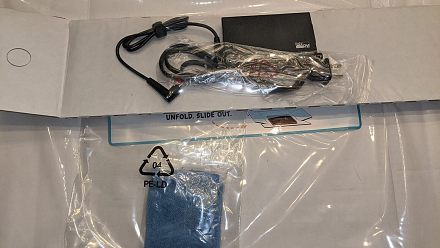
A Sale Laptop Is On Your Desk. What To Check Before The Return Window Closes
The sale laptop has arrived, the box is open and the excitement is real. But the next few days matter more than the unboxing. Most laptops bought on Amazon come with a short replacement window, and once it closes, any de
Ni Consumer Trends Desk··47K nabasa
A Sale Laptop Is On Your Desk. What To Check Before The Return Window Closes
The sale laptop has arrived, the box is open and the excitement is real. But the next few days matter more than the unboxing. Most laptops bought on Amazon come with a short replacement window, and once it closes, any defect becomes a warranty claim that can take weeks instead of a quick swap.
Spend an evening testing the laptop properly before you settle in. Here is a simple checklist, followed by five accessories worth adding once you decide to keep it, with prices as listed on Amazon at the time of writing.
1. Anker 332 USB-C Hub (5-in-1)
Thin laptops often have just two or three ports, which is where a hub comes in. The Anker 332 adds a 4K HDMI port for a monitor or TV, a 5Gbps USB-C data port and two 5Gbps USB-A ports for pen drives, a mouse receiver or a hard disk, all through a single USB-C connection. It is also a quick way to test whether your laptop’s USB-C port supports video output during the return window. It costs Rs. 2,799 and is rated 4.3 stars by nearly 17,000 buyers. Check the Anker 332 USB-C hub deal on Amazon.
2. DailyObjects Medium Stria Laptop Sleeve
A padded sleeve protects the laptop from scratches and bumps inside a backpack, which is where most body damage happens. The DailyObjects Stria sleeve fits laptops up to 14 inches, uses durable, water resistant polyester and has a padded compartment. It is light enough to carry on its own for short trips to a meeting or class. It costs Rs. 1,499, 42% off its MRP, and is rated 4.5 stars, the highest on this list. See the DailyObjects laptop sleeve offer on Amazon.
3. Logitech M221 Silent Wireless Mouse
A trackpad is fine for browsing, but a mouse makes spreadsheets, editing and long work sessions far more comfortable. The Logitech M221 has silent buttons, which is a blessing in shared rooms and libraries, a tiny USB receiver and a battery rated for up to 18 months. It is ambidextrous and works with Windows and Mac. It costs Rs. 725, 44% off its MRP, and is rated 4.3 stars by over 43,000 buyers. Grab the Logitech M221 mouse deal here.
4. PLIXIO Aluminium Laptop Stand
Working with your head bent over a laptop for hours strains the neck. The PLIXIO stand lifts the screen closer to eye level and folds flat for travel. Its aluminium build also lets the laptop stay cooler by improving airflow underneath, which matters for thin machines that run warm. Pair it with the wireless mouse above and a keyboard for a proper desk setup. It costs Rs. 899, 64% off its MRP, and is rated 4.3 stars by over 3,600 buyers. View the PLIXIO laptop stand price on Amazon.
5. Honeywell Surge Protector (4 Sockets)
Voltage spikes and power cuts are common in many Indian cities, and a damaged charger or motherboard is an expensive repair. The Honeywell surge protector has four universal sockets and 15,000 Amp surge protection, according to the brand, along with a 2 metre cable that reaches desks far from the wall socket. It is a small cost to protect a new laptop. It costs Rs. 1,349 and is rated 4.5 stars by over 1,900 buyers. Check the Honeywell surge protector deal on Amazon.
Price comparison
Accessory
Why it matters
MRP
Deal price
Anker 332 USB-C Hub
Extra ports, 4K HDMI
Rs. 11,299
Rs. 2,799
DailyObjects Stria Sleeve
Protection on the go
Rs. 2,599
Rs. 1,499
Logitech M221
Silent, comfortable mouse
Rs. 1,295
Rs. 725
PLIXIO Laptop Stand
Better posture and airflow
Rs. 2,499
Rs. 899
Honeywell Surge Protector
Protects from voltage spikes
Rs. 1,399
Rs. 1,349
What to check before the return window closes
Open a plain white and then a plain black image in full screen and look for dead pixels or uneven backlight. Test every key, the trackpad, webcam, microphone, speakers, Wi-Fi and every port, including HDMI and USB-C video output if you plan to use a monitor.
Check the battery health and charge cycles (on Windows, run powercfg /batteryreport in Command Prompt), make sure the RAM, storage and processor match what you paid for in System settings, and confirm Windows and Office are activated. Register the warranty on the brand’s website, keep the invoice safe, and contact Amazon within the window if anything is wrong.
Tips before you buy
Test within 48 hours. Don’t wait till the last day of the return window.
Keep the box and accessories. Returns usually need the original packaging.
Check the specs. Make sure RAM and storage match the listing.
Register the warranty. Do it on the brand’s website with the invoice.
Stack bank offers. Check the product page for bank discounts and no cost EMI.
Prices and offers on Amazon change often during the sale, so check the live price before you buy.