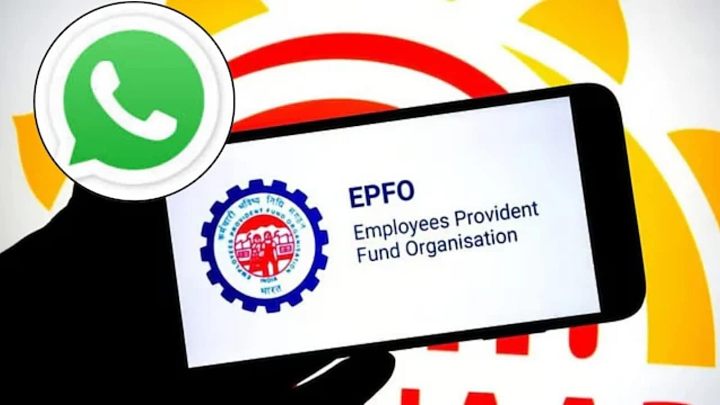
EPF Balance Check On WhatsApp: Nearly 90 Lakh Members Used Service In 14 Days; Here's How To Check PF Balance
EPF Balance Check On WhatsApp: The Employees’ Provident Fund Organisation (EPFO) has reported a strong response to its newly launched WhatsApp-based services, with 89.88 lakh members checking their Employees’ Provident F
By Business Desk··48K reads
EPF Balance Check On WhatsApp: Nearly 90 Lakh Members Used Service In 14 Days; Here's How To Check PF Balance
EPF Balance Check On WhatsApp: The Employees’ Provident Fund Organisation (EPFO) has reported a strong response to its newly launched WhatsApp-based services, with 89.88 lakh members checking their Employees’ Provident Fund (EPF) balance within just 14 days of the facility’s launch.
In a post on social media platform X, EPFO has highlighted the growing popularity of the service and encouraged subscribers to access its facilities through WhatsApp. Members can simply send a ‘Hi’ message to the organisation’s official WhatsApp number, +91 8796441800, to get started.
89.88 lakh members checked their EPF balance in just 14 days! �
Your EPFO services are now just a WhatsApp message away! �
Simply send a ‘Hi’ to +91 8796441800 and experience the convenience!
The facility allows EPF subscribers to check their provident fund balance without logging into the EPFO member portal. They can also view their last five transactions and download their EPF passbook directly through WhatsApp.
The service was launched on November 1, 2026, during EPFO’s 74th Foundation Day celebrations by Union Labour and Employment Minister Mansukh Mandaviya. It is aimed at making essential provident fund services easier to access without requiring members to visit EPFO offices or navigate multiple online platforms.
EPFO WhatsApp Number: What Is The Official Number To Check PF Balance?
EPFO members can access the new WhatsApp facility by sending a message to +91 8796441800.
Subscribers should preferably use the mobile number registered with their Universal Account Number (UAN), as the service requires identity verification through a one-time password (OTP).
Once the conversation starts, members can select their preferred language and access the available services through the chatbot menu.
How To Check EPF Balance Through WhatsApp? Step-by-Step Guide
EPF subscribers do not need to log in to the EPFO member portal to check their balance through the new facility.
Here is how to check your PF balance using WhatsApp:
Save the EPFO WhatsApp number: Add +91 8796441800 to your phone contacts.
Open WhatsApp: Search for the saved EPFO contact and open the conversation.
Send a message: Type ‘Hi’ and send it to initiate the chatbot.
Choose your language: Select your preferred language from the options displayed.
Select Check Balance: Choose the PF balance option from the chatbot’s main menu.
Complete OTP verification: Enter the OTP sent to your mobile number registered with your UAN, as instructed.
Select your Member ID: If you have multiple PF accounts linked to your UAN, choose the relevant Member ID.
View your PF balance: Once verification is complete, your EPF account details will be displayed in the WhatsApp conversation.
Members can check their total PF balance, including employee and employer contributions, pension contributions and the latest contribution details.
How To Check Last 5 EPF Transactions On WhatsApp?
Apart from checking the accumulated PF balance, members can also track their five most recent transactions through the WhatsApp facility.
This feature can help employees check whether their monthly provident fund contributions are being credited to their accounts.
To access the service:
Open the EPFO WhatsApp conversation.
Send ‘Hi’ to +91 8796441800.
Select your preferred language.
Choose the ‘Last 5 Transactions’ option from the menu.
Complete OTP verification, if prompted.
Select the relevant Member ID, if required.
Your five most recent EPF transactions will be displayed.
The facility provides a convenient way to monitor recent account activity, including contributions and withdrawals.
How To Download EPF Passbook Through WhatsApp?
EPFO members can also download their provident fund passbook through the new WhatsApp service.
The passbook contains details of contributions made by both employees and employers, along with other transactions recorded in the PF account. It helps subscribers track their retirement savings and verify whether contributions are being deposited regularly.
Follow these steps:
Open WhatsApp and send ‘Hi’ to +91 8796441800.
Select your preferred language.
Choose the ‘Download Passbook’ option.
Complete the OTP verification process, as instructed.
Select the relevant Member ID, if prompted.
Follow the chatbot’s instructions to access and download your EPF passbook.
The passbook is provided as a PDF, allowing members to save a copy for future reference.
What Other Services Are Available Through EPFO WhatsApp?
The new WhatsApp facility provides access to the following services:
Check EPF balance: View the available balance in your provident fund account.
Last five transactions: Check the five most recent entries in your PF account.
Download passbook: Access your EPF passbook in PDF format.
PMVBRY assistance: Get personalised guidance and assistance relating to the Pradhan Mantri Viksit Bharat Rozgar Yojana.
The service is part of EPFO’s efforts to improve the accessibility of its member services through digital platforms.
How Else Can You Check Your EPF Balance?
Apart from WhatsApp, EPFO members can use other digital facilities to check their provident fund balance.
1. Through the EPFO Member Portal
Visit the official EPFO website: https://www.epfindia.gov.in/
Navigate to the Member Passbook facility.
Log in using your UAN and password.
Complete the required verification.
Select the relevant Member ID to view your passbook and accumulated PF balance.
2. Through the UMANG App
Download and open the UMANG app.
Search for EPFO under the available services.
Select ‘Employee Centric Services’.
Choose ‘View Passbook’.
Enter your UAN and complete OTP verification.
Select your Member ID to view your PF balance and contribution details.
3. Through a Missed Call
Members can give a missed call to 9966044425 from their mobile number registered with the UAN.
The call gets disconnected automatically, following which an SMS containing the available PF balance and last contribution details is sent to the registered mobile number.
This facility requires the member’s mobile number to be activated with the UAN. At least one of the following KYC details — bank account number, Aadhaar or PAN — should also be seeded against the UAN.
4. Through SMS
EPF members can also check their balance through SMS by sending a message in this format: EPFOHO UAN ENG
Send the SMS to 7738299899 from the mobile number registered with the UAN. Replace ‘ENG’ with the appropriate language code if you want to receive the information in another supported language.
EPFO WhatsApp Service: Important Things Members Should Know
Members should ensure that they are using the official EPFO WhatsApp number, +91 8796441800, before sharing any account-related information.
The mobile number registered with the UAN should be available for OTP verification. Members with multiple Member IDs should also select the correct PF account before checking their balance or downloading the passbook.
For security reasons, subscribers should not disclose their UAN password, banking credentials or OTP to anyone claiming to represent EPFO through an unofficial number or account.