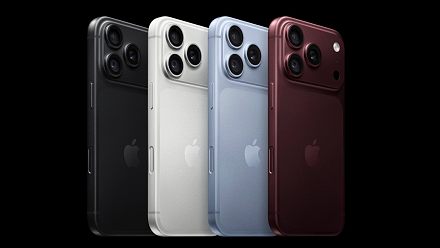
Your ₹1 Lakh Phone Probably Has 30 Features You've Never Used
We spend a ridiculous amount of money on smartphones. Every year we are told about faster processors, smarter cameras, AI, new sensors and enough computing power to probably run a small country. We watch the launch, admi
Ni Anjan N Ghosh··33K nabasa
Your ₹1 Lakh Phone Probably Has 30 Features You've Never Used
We spend a ridiculous amount of money on smartphones. Every year we are told about faster processors, smarter cameras, AI, new sensors and enough computing power to probably run a small country. We watch the launch, admire all these wonderful features and then, after buying the phone, settle comfortably back into WhatsApp, YouTube, Maps, UPI, email and the camera.
I am guilty too. Meanwhile, that enormously powerful phone in my pocket is quietly thinking, You know I can do other things, right?
So I started looking at some of the genuinely useful things our phones can already do. Not obscure tricks you’ll try once to impress someone and then forget, but things that can actually make everyday life easier.
And yes, I know the headline says 30 features and I’m only going to tell you about a handful. I’m saving you from the other twenty. You’re welcome.
Your Phone Is Already a Document Scanner
I’ve seen people place a document on a table, stand over it with their phone and spend the next minute trying to take a photograph without their shadow, feet or half the dining table appearing in it.
You don’t have to. Modern phones can scan a document, find its edges, straighten it and turn multiple pages into a proper PDF. On an iPhone, for example, document scanning is built into apps such as Notes and Files. Once you discover this, photographing documents starts to feel rather primitive.
Can’t Find the Measuring Tape? Your Phone Can Help
Will that new table fit beside the sofa? How wide is that cupboard? Is there enough space on the wall for the television? There is probably a measuring tape somewhere in the house. Unfortunately, nobody has seen it since 2022.
The iPhone’s Measure app can use the camera to estimate the size of nearby objects, automatically recognise rectangular objects and even work as a level. Apple sensibly describes the measurements as approximate, so I wouldn’t use it to build a house. But for checking whether a piece of furniture is likely to fit somewhere, it can be surprisingly useful.
Stop Fighting With the Cursor
You’ve written a long WhatsApp message and notice one wrong letter somewhere in the middle. You tap exactly where you want the cursor. It goes somewhere else. You tap again and now you’ve selected the whole word. By the fourth attempt, deleting the entire sentence and starting again begins to look attractive.
On an iPhone, hold your finger on the spacebar and the keyboard becomes a little trackpad. Slide your finger around and place the cursor where you actually wanted it in the first place. Tiny feature. Ridiculous amount of satisfaction.
Tap the Back of Your iPhone
Here’s another feature many iPhone owners seem to miss. You can assign actions to a double or triple tap on the back of the phone. Back Tap can perform system actions and even launch a Shortcut. It’s sitting under Settings > Accessibility > Touch > Back Tap.
So yes, the back of your iPhone is technically a button too. Apple just forgot to draw one there.
My Favourite: Make the Phone Do Things for You
The Shortcuts app is probably one of the most powerful things on my iPhone that I ignored for far too long. Then I started playing with it and realised just how much fun you can have making the phone do things automatically.
Here’s a real example. My Guru asked me to wake up at Brahma Muhurta and meditate. Brahma Muhurta begins 96 minutes before sunrise. The slight problem is that sunrise doesn’t politely happen at the same time every morning.
So I made a Shortcut. My iPhone checks the sunrise time for my location, works backwards by exactly 96 minutes and creates my alarm automatically. I don’t have to check tomorrow’s sunrise or change the alarm every night. The phone sorts it out. Except Sunday. Even spirituality deserves a cheat day.
And that’s when Shortcuts became fascinating to me. It isn’t just about alarms. Shortcuts can join together actions from different parts of the phone and automate repetitive jobs. You don’t really need to understand programming. Start with a much simpler question: I keep doing this on my phone. Can the phone do it for me? You may disappear down a rather enjoyable rabbit hole.
Your Phone Can Rescue Your Earbuds
Your earbuds are at 3%. Their case is dead. You’re about to leave. Some Android phones can reverse the normal charging process and wirelessly charge another compatible device from the back of the phone. Samsung calls this Wireless PowerShare, and supported Galaxy phones can charge devices including compatible earbuds.
Would I sacrifice 20% of my phone battery to charge somebody else’s phone? Absolutely not. Friendship has limits. My own earbuds before a flight? Completely different matter.
There’s a Computer Hiding Inside Some Phones
Samsung DeX remains one of those features that makes me wonder how many owners actually know it’s there. On supported Galaxy devices, DeX can put a desktop-style workspace onto an external monitor or TV. Add a keyboard and mouse and the phone that was ordering biryani ten minutes ago is now sitting on a desk pretending to be a computer.
Will it replace everyone’s laptop? No. Is it still wonderfully geeky? Absolutely.
Your Phone Can Play With Sound Too
Some clever features are hiding in the Accessibility menu, which many of us never bother exploring. Google’s Sound Amplifier, for example, works with headphones and can filter and amplify sounds around you, including making speech easier to hear. It can even use the phone as a remote microphone.
There’s an important lesson here. Don’t assume an accessibility feature isn’t useful to you simply because you don’t have a disability. Some of the cleverest tools in our phones live in that menu.
Your iPhone Can Become a Very Good Mac Webcam
Before buying a separate webcam for your Mac, check the rather expensive camera you’re already carrying around in your pocket. Apple’s Continuity Camera can use a compatible iPhone as the Mac’s webcam, either wirelessly or through USB, with useful camera effects available on supported devices.
Considering how good modern iPhone cameras are, the results can be considerably better than the tiny camera built into a laptop. Your colleagues on the Monday morning video call may finally discover what you actually look like. Whether that’s desirable is another question.
Sometimes the Cleverest Feature Is Removing Features
Apple’s Assistive Access is one of the most interesting features I’ve come across because its purpose is almost the opposite of everything smartphone manufacturers normally advertise. Instead of adding more, it makes an iPhone much simpler.
It was designed for people with cognitive disabilities and can provide a simplified interface with larger controls and a carefully selected collection of apps. But think about the broader idea for a moment. Someone in your family may find a normal smartphone overwhelming – too many icons, menus, notifications and ways of accidentally ending up somewhere they never intended to go. Sometimes the smartest thing technology can do is get out of the way.
Maybe We Don’t Need Another 30 Features
And there you have it. Ten-ish features from an article promising thirty. Before anybody asks for a refund, please remember you didn’t pay anything to read this. �
More importantly, these aren’t even close to everything our phones can do. That’s the funny part. Every year manufacturers stand on stages and tell us about another collection of features we absolutely must have, and I’m as interested as anyone in seeing what’s new.
But perhaps there is another question worth asking before the next launch: What can the phone I already own do that I’ve never bothered to discover?
Your ₹1 lakh phone may have features you’ve never opened, settings you’ve never touched and abilities you didn’t even know were there.
Meanwhile, most of us will continue using this extraordinary pocket computer to watch reels, pay the electricity bill and send someone a message saying: “Reached?”
And somewhere inside, that ridiculously powerful processor is once again sitting there drinking tea.
Before You Go…
You may have noticed that I’ve mentioned a few more iPhone features than Android ones here. There’s a simple reason – I’ve spent considerably more time using iPhones, so those are naturally the features I’ve explored more deeply.
This isn’t meant to suggest that iPhones have more hidden tricks. Quite the opposite. The whole idea of this article is to encourage you to dig into the phone you already own. Open those settings you’ve never opened. Explore the accessibility menu. Play with automation. See what your camera can do beyond taking photographs. You may discover that the phone you’ve been carrying for two years has been quietly hiding some very useful tricks from you.
And here’s where you can help me. If you’ve discovered a clever feature, setting or trick on your iPhone, Samsung, Pixel, Nothing, Vivo, OnePlus or anything else, share it with me. Tell me what it does and how you actually use it. Maybe we can turn this into 30 features after all.