Truecaller Users Can Now Show LinkedIn-Verified Job Details On Caller ID: What You Need To Know
Truecaller is making its Caller ID feature more useful for professional calls. The company has partnered with LinkedIn to bring professional information and LinkedIn verification signals to Truecaller, allowing users to
Ni Ayush Mukherjee··47K nabasa
Truecaller Users Can Now Show LinkedIn-Verified Job Details On Caller ID: What You Need To Know
Truecaller is making its Caller ID feature more useful for professional calls. The company has partnered with LinkedIn to bring professional information and LinkedIn verification signals to Truecaller, allowing users to display details such as their job title and workplace when they call someone.
The integration is designed to give people more context when they receive a call from an unknown number. Instead of seeing only a name and phone number, the recipient can also see the caller’s professional information, provided the caller has chosen to connect their LinkedIn profile and display those details.
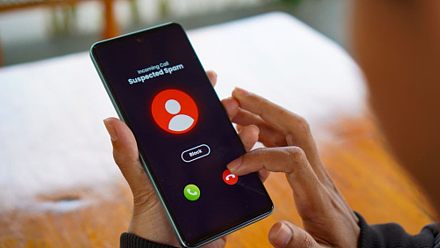
For example, if a recruiter, client, supplier, consultant or business contact calls you from a number you do not have saved, Truecaller can show their name, profile picture, job title and company information alongside the Caller ID.
Users can also tap through to the caller’s LinkedIn profile from their Truecaller profile to learn more about their professional background.
The feature is particularly aimed at professional communication, where people often receive calls from numbers they have never interacted with before.
What Information Can Appear On Truecaller?
Once a user connects their LinkedIn profile, Truecaller can display professional information including:
Name and profile picture
Current workplace or company
Job title
LinkedIn verification signals, where available
A link to the caller’s LinkedIn profile
LinkedIn says its verification system can confirm information such as a person’s identity or workplace. Those verification signals can now travel beyond LinkedIn through its “Verified on LinkedIn” partner ecosystem. Truecaller is one of the newly added partners.
How Does It Work?
There are two main ways users can connect their professional identity with Truecaller.
New Truecaller users: Users can use the “Login with LinkedIn” option when setting up Truecaller. Details such as their name and profile picture can then be pre-filled using information from their LinkedIn account.
Existing Truecaller users: Existing users can use “Verified on LinkedIn” to connect their LinkedIn profile and add their workplace and job title to their Truecaller profile.
After the profiles are connected, the professional information can appear on Truecaller Caller ID when that person calls another Truecaller user.
For example, when LinkedIn has verified a user’s workplace, Truecaller can show a corresponding verification indicator alongside the company information. This gives the person receiving the call an additional signal about the professional identity being displayed.
LinkedIn said on September 23 that more than 115 million members had been verified on its platform. The company is also expanding verification beyond LinkedIn through partnerships with services including Truecaller, Adobe, TrustRadius, UserTesting and PeerSpot.
The Truecaller-LinkedIn integration has been launched globally on Android. Truecaller says it is available now to Android users worldwide, while iPhone support will follow.
So, for Android users in India, the feature is part of the current rollout. iPhone users will have to wait for the integration to arrive on iOS.
Truecaller says users decide whether they want to display their workplace and job title. They can also disconnect their LinkedIn profile from Truecaller at any time.
This means connecting LinkedIn does not automatically mean that every piece of professional information on a LinkedIn profile will appear during a call. The integration is intended to let users choose whether they want to add this professional context to their Truecaller identity.
The LinkedIn integration does not replace Truecaller’s existing verification features. Truecaller already offers identity and business verification mechanisms. In India, for example, the company has a separate verified-name system that uses DigiLocker-based verification and is available to Premium users. Truecaller also offers Verified Business Caller ID for businesses, with features such as verified business profiles and business information.
The LinkedIn partnership instead adds professional identity and workplace verification from LinkedIn to the information that can appear in Caller ID.