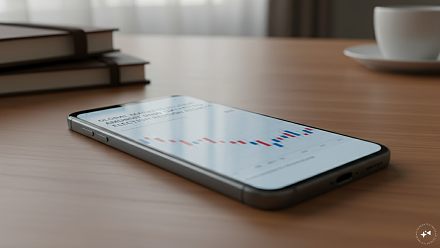
The Death of Buttons: Did Touchscreens Actually Make Everything Better?
I recently spent a couple of hours with the Tesla Model Y, and one of the things I genuinely loved was the touchscreen. It was fast, beautifully responsive and almost as satisfying to use as my iPhone Air. Tesla describe
Ni Anjan N Ghosh··36K nabasa
The Death of Buttons: Did Touchscreens Actually Make Everything Better?
I recently spent a couple of hours with the Tesla Model Y, and one of the things I genuinely loved was the touchscreen. It was fast, beautifully responsive and almost as satisfying to use as my iPhone Air. Tesla describes it as the central display for driving information, settings, apps and entertainment, and that’s exactly what it feels like – the command centre of the car. If you are interested about my experience with the Tesla you can read it here.
But while playing with it, another thought crossed my mind.
When did we decide that buttons were the enemy?
Look around. Cars, phones, ovens, washing machines, cameras, headphones – wherever there’s a screen, somebody somewhere seems determined to remove another perfectly innocent button.
I love touchscreens. I’m typing this article on devices that would be almost impossible without them. Imagine a smartphone with a physical button for WhatsApp, Maps, UPI, Camera, Spotify, YouTube and every other app. We’d need something the size of a harmonium.
Touchscreens solved that problem brilliantly. The same piece of glass can become a keyboard, camera control, map, music player or photo editor depending on what I’m doing. Software can add new functions without anyone drilling another hole into the device.
But does everything need to be on a screen?
Sometimes My Finger Already Knows Where to Go
I enjoy photography, and this is where physical controls make immediate sense to me. Once you’re familiar with a camera, your fingers begin remembering where certain buttons and dials are. You don’t always have to stop, look at the control and then operate it.
The same thing happens in a car. Give me a familiar volume knob and I can reach for it, turn it and keep looking ahead. Put the same control somewhere on a screen and I may first have to look at the screen, find it and then touch it.
That isn’t merely nostalgia talking.
A 2026 driving-simulator study compared touchscreen and physical controls for things such as lights, wipers, indicators, hazards and climate settings. Touchscreens produced more visual distraction, and when a task needed more than one interaction, performance was worse than with physical controls. Interestingly, researchers also found that simply moving controls around on the screen made people look at it longer until they adjusted.
So that software update that makes your interface look fresh and exciting?
Your finger may be wondering where somebody moved the bloody button.
Even the Safety People Want Some Buttons Back
This discussion has become serious enough that Euro NCAP, the European vehicle safety testing organisation, changed its assessment approach for 2026. It now rewards cars for making important controls such as indicators, hazard lights, headlights, wipers and the horn available through physical controls, or keeping primary functions permanently accessible in a fixed part of the display.
That doesn’t mean touchscreens in cars are bad. Far from it.
Navigation on a physical-button dashboard? No, thank you. Searching for music, viewing cameras, changing detailed vehicle settings or looking at a map all make far more sense on a large display.
But adjusting something simple shouldn’t sometimes feel like I’m changing a setting in Microsoft Excel.
And It Isn’t Just Cars
I notice the same thing around the house.
Some appliances now have gorgeous flat touch panels where knobs and switches once lived. They certainly look cleaner. Until your fingers are wet, the panel doesn’t register the first touch and you find yourself tapping it again while wondering why switching something on has become a negotiation.
Headphones are another example. Touch controls can be clever, but occasionally I just want to press something and know I’ve pressed it.
A button moves. A switch clicks. A knob turns.
There’s information in that little physical response.
On the other hand, I definitely don’t want to return to typing SMS messages by pressing the number 7 four times to get an S. Some parts of the button era can remain peacefully buried.
Maybe We Killed Them Too Quickly
I’m not campaigning for the return of dashboards covered in switches or phones with keyboards.
Technology moved to touchscreens for very good reasons. They allow enormously complicated devices to remain simple on the outside, and many things we do today simply wouldn’t work nearly as well without them.
I just think we became slightly too enthusiastic.
Perhaps the best technology isn’t touchscreen or buttons. It’s knowing when each one makes sense.
Give me a beautiful screen for maps, photographs, entertainment and anything complicated. But for something I need instantly, repeatedly or without looking?
I’ll happily take the humble button.
It doesn’t need charging. It doesn’t hide inside a menu. And best of all, it has never received a software update and moved somewhere else. �